A subject line has one job: to earn the open from someone who is looking at forty other messages and deciding in under a second which ones to ignore. It is the least-read and most-labored-over sentence in marketing, and the advice about it is full of tricks: capital letters, emoji, fake urgency, fake familiarity.
Tricks produce a brief bump and a long cost. People who feel tricked unsubscribe, complain, or learn to ignore you. The approach that lasts is plainer: say what the message contains, in words your reader would use, and make the reader want it.
Know where it will be read
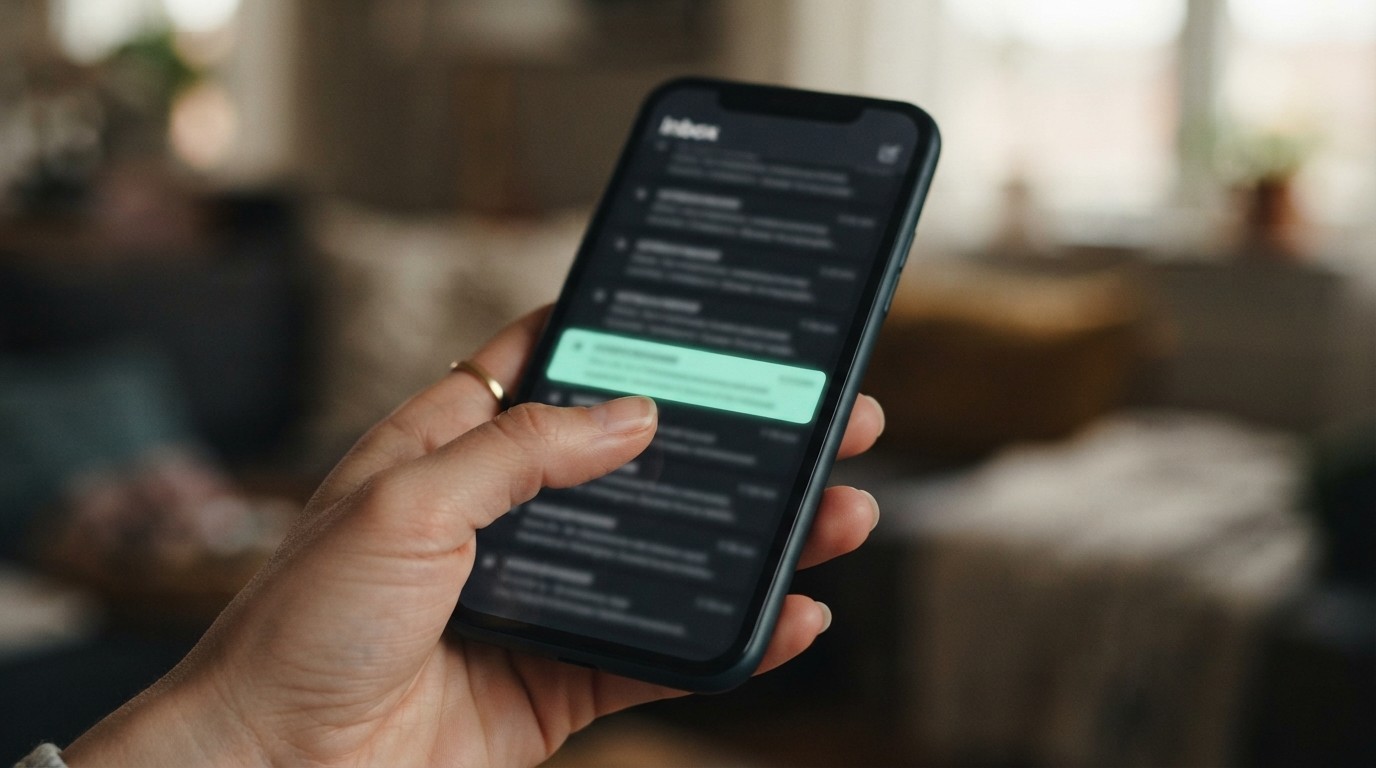
Most email is opened on a phone, and a phone shows only a fragment of a long subject line. The inbox preview presents three things together: the sender name, the subject line and a snippet of preheader text. They have to work as a unit.
- From name. This is often what people decide on first. Use a name they recognise: your business name, or a person plus the business, and keep it consistent. Changing it between sends reads as a different sender.
- Subject line. Put the important words first. The number of characters shown varies by device and app, so assume that anything beyond the first several words may be cut off.
- Preheader. The snippet that follows the subject. If you do not set one, the app fills the space with whatever comes first in the email, often “View this email in your browser” or a string of navigation links. Treat it as a second subject line.
Principles that survive every fashion
Be specific
Vague lines get skipped because they do not promise anything. “Our latest news” tells the reader nothing. “Three changes to how we ship, starting Monday” tells them exactly what they will find and whether it affects them. Specificity also filters: it attracts the people who care and lets the others skip without feeling deceived.
Be accurate
The subject must describe the email. Commercial email law in the United States prohibits deceptive subject lines, and regardless of the law, a line that promises something the message does not deliver teaches readers not to trust you. A subject like “Re: your order” on a marketing message is the classic example, and an excellent way to generate complaints.
Be human
Write the way you would speak to a customer across a counter. Lowercase or sentence case feels like mail from a person; all capitals and strings of exclamation marks feel like an advertisement. Short, plain words outperform clever ones more often than not.
Be relevant to the recipient
The best subject line in the world fails on the wrong audience. Matching the message to the segment, a past buyer versus a new subscriber, or a customer in one region versus another, does more than any amount of wordsmithing.
Six patterns, and where each earns its place
- Direct benefit. Example shape: “How to cut your heating bill before November”. Best for: Educational content. Risk: Becomes generic if the promise is vague.
- Plain announcement. Example shape: “The spring range is in”. Best for: Product news to people who want it. Risk: Needs a recipient who already cares.
- Question. Example shape: “Still using last year’s tax checklist?”. Best for: Prompting reflection. Risk: Weak if the answer is obviously no.
- Specific number. Example shape: “5 fixes for a slow checkout page”. Best for: Lists and how-tos. Risk: Overused; the content must deliver.
- Time-bound, real. Example shape: “Orders placed by Thursday ship this week”. Best for: Genuine deadlines. Risk: Loses credibility if the deadline is invented.
- Curiosity, lightly. Example shape: “The mistake behind most late deliveries”. Best for: Content with a payoff. Risk: Backfires when the payoff disappoints.
The preheader is not optional
Treat the subject and preheader as a pair. The subject sets the topic and the preheader adds the reason to open, rather than repeating the subject.
- Subject: “Three changes to how we ship” with preheader: “Starts Monday. Two of them mean your parcel arrives sooner.”
- Subject: “Your gutter checklist” with preheader: “Ten minutes now, before the autumn leaves, saves a long ladder day in November.”
Most platforms have a dedicated preheader field. Use it. If yours does not, put a short sentence at the very top of the email and keep navigation and logos below it.
Things to leave out
- Fake “Re:” and “Fwd:” prefixes that imply a conversation that never happened.
- Invented urgency that repeats every week. “Last chance” stops meaning anything.
- Strings of capitals, exclamation marks and dollar signs. They also attract spam filters.
- Misleading personalization. A first name in the subject can work when it is accurate and sparing, and looks careless when the data is wrong (“Hi , “).
- Emoji as decoration. One that fits your brand and your audience is fine. A row of them is noise and renders unevenly across devices.
- Anything you would be embarrassed to explain to the recipient.
Testing without fooling yourself
Subject line testing is easy to do badly. A few rules keep it honest.
- Test one thing at a time. If two versions differ in length, tone and from name, you will not know what mattered.
- Split randomly and evenly. Send each version to similar groups at the same time. Comparing a Tuesday send with a Friday send tests the weekday, not the line.
- Have enough people. Small lists produce noisy results. A difference of a few opens among a few hundred recipients is usually chance, so treat small-list tests as hints, not conclusions.
- Judge on what you actually want. Opens are an unreliable measure, because some mail apps pre-load images and record an open whether or not a person saw the message. Clicks, replies and purchases are a better judge of whether the line attracted the right people.
- Keep a log. Write down what you tested and what happened. After a year, the patterns that hold for your audience are more valuable than any article.
- Be wary of the winner. A subject line that wins a test by promising more than the email delivers will win the open and lose the click.
For a small list, a more useful form of testing is simply reading your lines aloud as if they had arrived from someone else, and asking whether you would open them. Then read them on a phone, in an inbox full of real mail.
A routine you can actually keep
Write five subject lines for every email and choose the one that is clearest, not the cleverest. Write the preheader at the same time. Check the line is accurate against what the email contains. Preview on a phone. Then send, and look at clicks rather than opens a few days later.
The reward for honest subject lines is slow and cumulative: readers who know that what you promise is what they get open more of your mail for years. That is a better return than any trick, and it does not wear out.
Mistakes we see most often
- Copying a competitor’s style instead of testing your own audience.
- Judging a test by opens when mail apps pre-load images and inflate them.
- Letting the preheader default to ‘View this email in your browser’.
- Changing the From name between sends so recipients stop recognising you.